Case study
Course Workshop
A bilingual Rails application for creating, refining and studying courses with a local AI assistant. Persistent conversations, recoverable background work and a public demo with two complete courses.
Project overview
- Category
- Web
Technology
- Ruby on Rails
- Ruby
- PostgreSQL
- Hotwire
- Tailwind CSS
- Codex
- Docker
- Vercel
 Codex
Project links
Inside the project
Context
Course Workshop turns a learning goal into a structured course that can be reviewed, refined and studied in one place. The local workspace combines AI-assisted authoring with a reader for Markdown, highlighted code, mathematical formulas, diagrams, images and exercises. The Polish and English interface supports both creating material and returning to it over time.
Role
I designed and built the application, from its Reading Room visual system and data model to the Rails interface, Codex integration, automated tests and deployment. The work included a course library with covers and categories, a persistent assistant panel, progress tracking and a separate public demo mode.
Constraints
Course generation and editing can take longer than a browser visit. Closing a tab must not discard accepted work or conversation history, and uncertain interrupted operations must not be repeated blindly. The public demo also needed to demonstrate the reader without exposing a private Codex session or allowing visitors to generate content.
Approach
Ruby on Rails and PostgreSQL hold courses, lessons, progress and conversations. Hotwire updates the interface without a separate frontend application; Tailwind CSS and daisyUI provide shared controls. Solid Queue runs background work with persisted execution state and recovery. A local Codex App Server connects to scoped MCP tools that edit drafts, with saved revisions and undo support. The user reviews the outline before lesson generation and approves the draft before publication.
The assistant follows navigation between the course outline and lessons, accepts quoted passages and shows editing actions. Published-course tutoring is read-only. Sanitized Markdown, Rouge, KaTeX and Mermaid render the learning material, while Active Storage handles local images. Rails I18n keeps interface language independent of course language.
Outcome
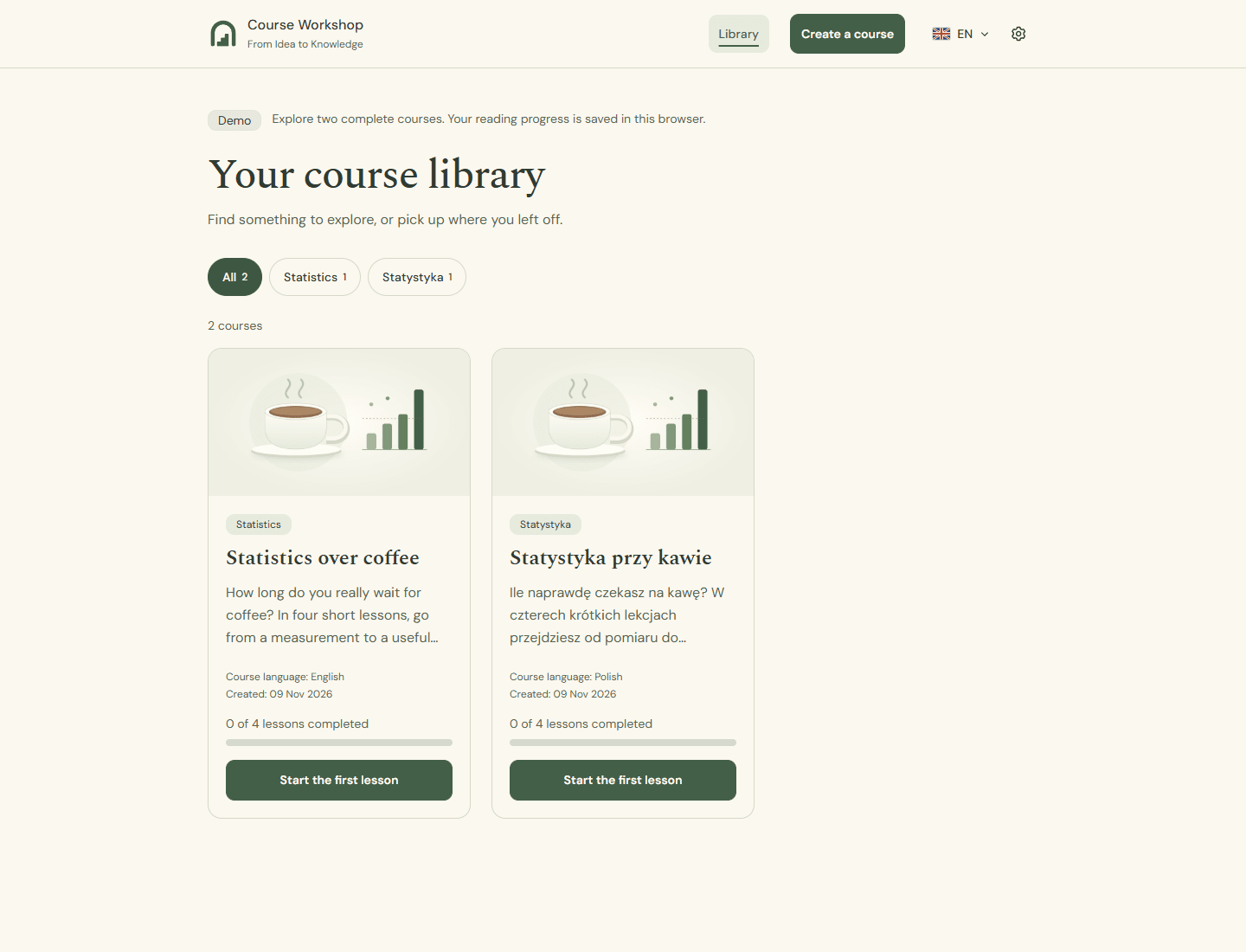
The public demo runs on Vercel with Neon PostgreSQL and includes two four-lesson statistics courses, one in each language. Visitors can explore the material and track progress independently in their browsers. Generation, settings and chat remain visible as disabled previews; server-side guards enforce the same boundary. The public repository includes setup instructions, architecture documentation, application and browser tests, and CI checks that gate production updates.
Lessons
An AI feature needs clear ownership of state as well as a model connection. Persisted work, scoped tools, explicit review steps and recoverable edits make a long-running assistant easier to trust. Keeping the local workspace and public demo behind the same tested feature boundaries also makes the application easier to demonstrate and maintain.